One angler record
Bookings, enquiries and memberships reference the same customer instead of duplicated contact lists.
Buyer guide
Fishery customer management should not mean a disconnected CRM spreadsheet. Useful systems keep angler records with the bookings, enquiries, payments and memberships that created them — and give customers a clear portal to book and pay.
CarpSync maintains a customer directory from bookings and enquiries, links memberships to customers, and provides a customer portal. This is operational customer management, not a generic sales CRM.
Buying criteria
Fisheries rarely need enterprise CRM theatre. They need to know who has booked, who still owes a balance, who holds a season or syndicate permit, and how to communicate arrival details without digging through message threads.
When customer records are created from real booking and enquiry activity, owners avoid re-typing the same angler details into multiple tools.
CarpSync’s customer directory, booking history, memberships and customer portal are the practical building blocks — evaluated honestly as fishery operations, not as invented marketing automation.
Product workflows
Based on current product surfaces: customers created from bookings and enquiries, membership association, and a customer portal for booking and account activity.
Customers appear when bookings and enquiries are created, so the directory reflects people who actually interact with the fishery.
Deposits, balances and booking status stay with the stay — giving staff customer context without a separate chase list.
Season and syndicate permits are issued against customer records rather than anonymous paper cards.
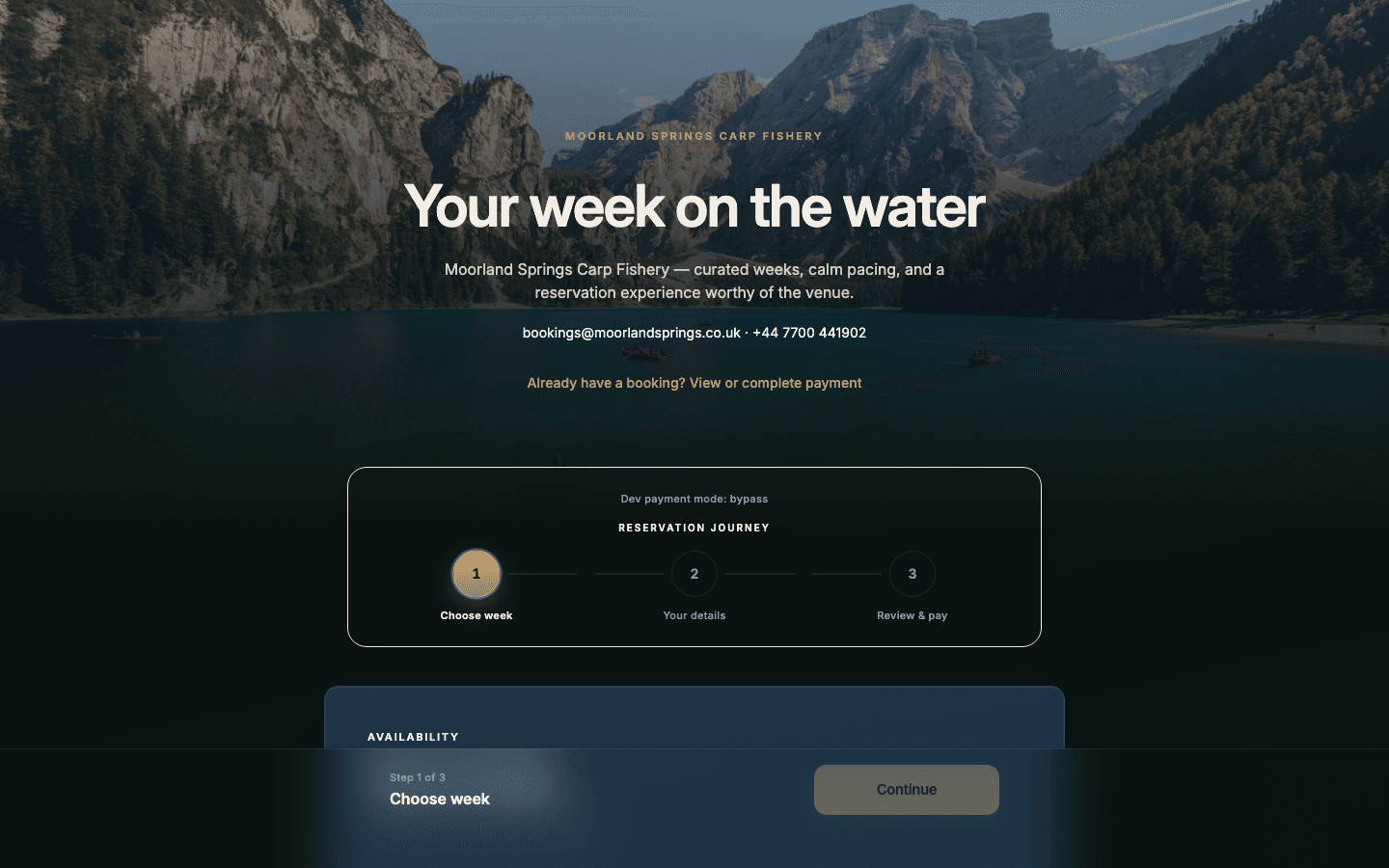
Anglers can book, pay and manage account activity through a fishery-branded customer experience.
Enquiry workflows capture demand and acknowledgements so customer conversations are not trapped only in social messages.
Product screens
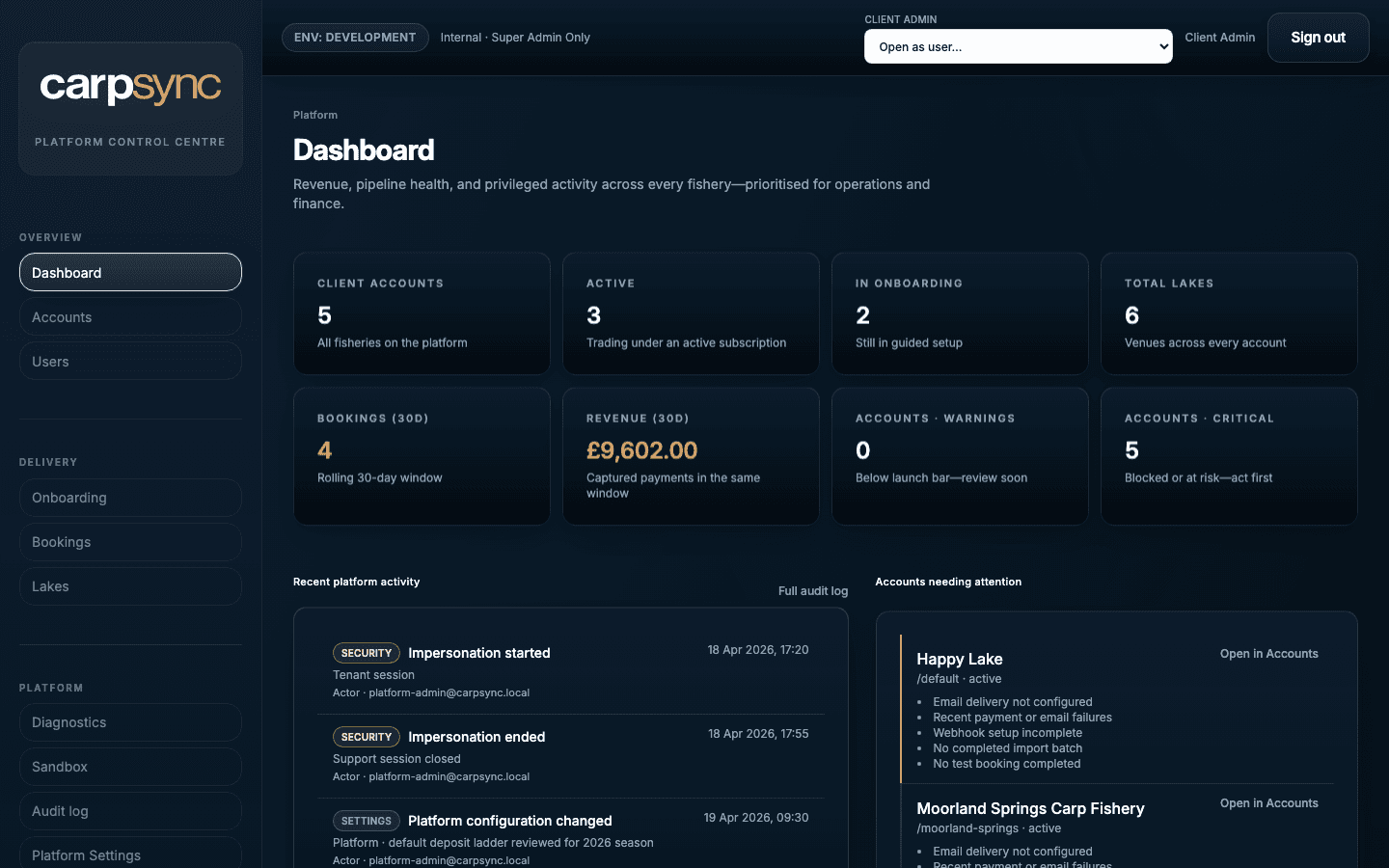
Real product imagery — not mocked metrics overlays or invented proof graphics.
Outcomes
Bookings, enquiries and memberships reference the same customer instead of duplicated contact lists.
A portal reduces back-and-forth for booking and payment tasks anglers can complete themselves.
Season and syndicate holders remain visible as customers with valid permit dates.
Published proof
Only publishable customer references appear here. No invented ratings, savings figures or testimonials.
Customer story
Happy Lake runs online bookings, deposit tracking and a fishery-branded customer experience on CarpSync.
Read the customer storyPractical buyer answers grounded in current CarpSync capabilities — not keyword-stuffed claims.
CarpSync provides fishery customer management tied to bookings, enquiries, memberships and the customer portal. It is not marketed here as a generic sales CRM with invented automation claims.
Customers appear in the directory when bookings and enquiries are created, keeping records grounded in real fishery activity.
Yes. CarpSync includes a customer portal experience for booking, paying and managing account activity on your brand.
Migration of customer lists can be planned into onboarding. Exact scope depends on your data and is agreed with the CarpSync team — we do not publish a fixed import timeline here.
Review Bookings and onboarding, then book a tailored demo focused on how your enquiry, booking and membership flows should create clean customer records.
Book a tailored demo. We look at how enquiries, bookings, memberships and the customer portal should work for your fishery — without inventing CRM features you do not need.